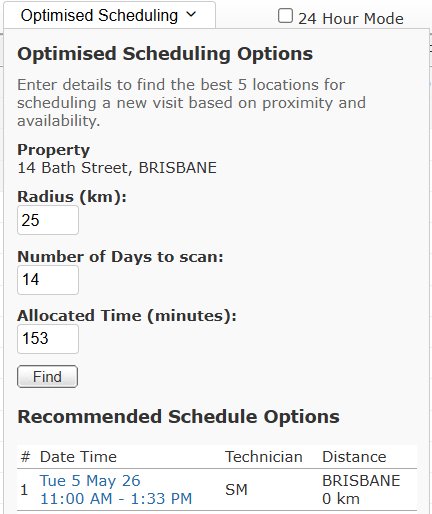
Dear Customers, Since the last newsletter, a series of exciting updates have been made to the main system and the new mobile app. Updates to the main system (Version 5.5.5) was released on 5 May 2026 and the latest version of the mobile app (Version 1.1.3) was released on 6 May 2026. Below are some of new features worth highlighting. Route Smarter with Optimised Scheduling We know that minimising travel time and maximising billable hours is crucial for your service business, that's why we are thrilled to introduce the new Optimised Scheduling feature.
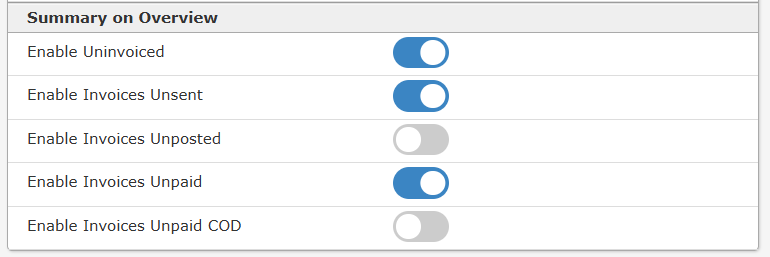
https://help.nexusservicemanager.com.au/item.aspx?id=180 New User Activity Graph If you have ever wanted a quick way to visualise how your team is interacting with the system, this new feature is built exactly for you. The User Activity Graph translates your raw system text logs into easy-to-read, side-by-side bar charts. From a single screen, you can see a breakdown of team activity measured by the Day, the Month, and the Year. https://help.nexusservicemanager.com.au/item.aspx?id=183 Stay on Top of Your Business with the New Summary Panel When you log into Nexus Service Manager, you want to know exactly where your business stands financially. To help you keep your finger on the pulse of your cash flow, we are excited to introduce the new Summary Panel, located right on your Overview screen. You can customise these settings under the "User Profile" section.
Customise Job Completion Notifications We are pleased to introduce a new layer of control for your automated communications. You can now enable or disable Job Complete notifications on a per-customer basis directly from the Customer Settings page. Under the Customer Settings screen, you will now find two new toggle options under the "Job Complete" section: Email and SMS. These checkboxes allow you to specify exactly how each customer prefers to be notified when their service visit is finished. Upgrades to the Nexus Service Manager Mobile AppOur newest release of the mobile app, Version 1.1.3, officially launched on 6 of May. If you haven't already, please update your device by clicking Update or Reload from the menu, it is available for download on the Apple App Store and Google Play store.
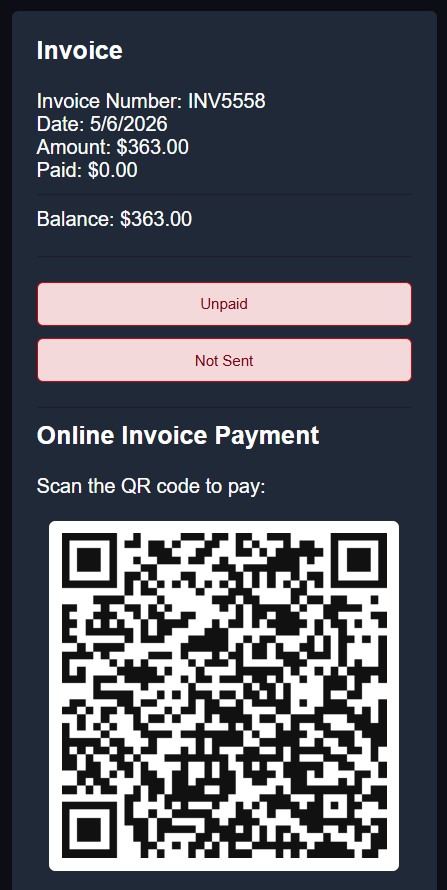
This new version rounds out our offline capabilities by allowing technicians to save customer signatures entirely offline. System administrators will also love the new flexible settings that can enforce capturing a customer signature, and a name, before a job is allowed to be marked as complete. Finally, to make sure data is never lost, the app will now automatically upload any pending sync data the moment your device reconnects to an internet. We've packed a ton of other highly requested features into the app since the start of January 2026: QR Code Payment Feature
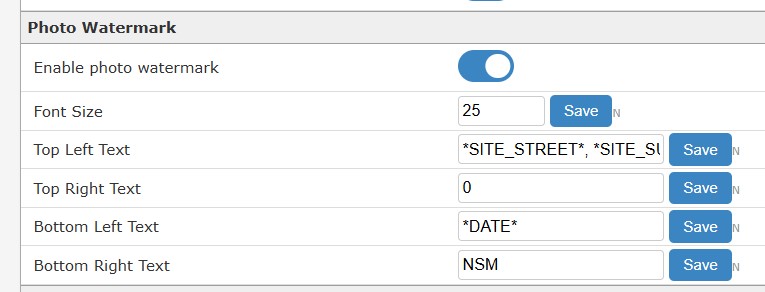
Photo Watermark The new Photo Watermark feature, designed to make documenting your site visits more accurate and professional than ever. When technicians upload photos from the field, the system can now automatically overlay critical, real-time job details directly onto the images. You can customise the watermark's position on the photo (top or bottom, left or right) and dynamically embed essential data, including the current date, time, and specific site address details such as the street, suburb, state, and postcode. The settings can be found in Advanced Settings under Mobile App. This enhancement provides a highly verifiable, location-stamped visual record of your work, saving your team time while adding an extra layer of trust and accountability to your service documentation.
To enable this feature, go to Admin, Advanced Settings then Mobile App.
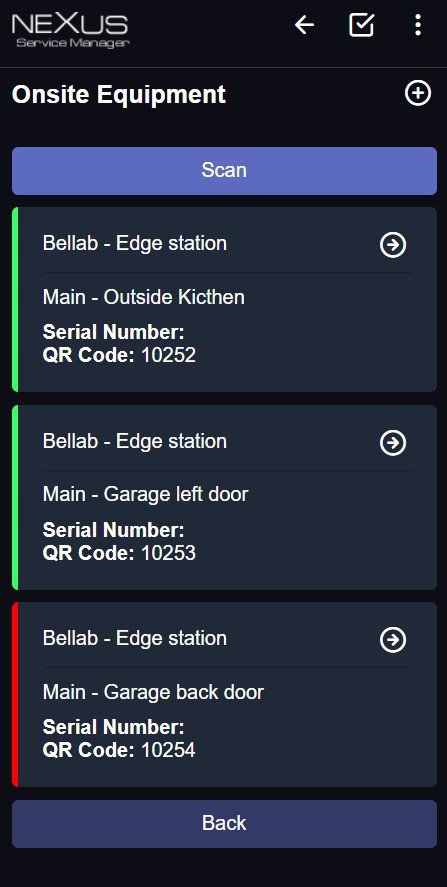
https://help.nexusservicemanager.com.au/item.aspx?id=187 Better Service Reports Auto-Save: Progress on new service reports now automatically saves to your device. Pick Up Where You Left Off: A new function allows you to pause and easily continue uncompleted service reports. Onsite Equipment
Expanded Context in the Field Better Communication: You can now view internal Office Notes, Customer Alerts, and see a full list of all technicians assigned to the job details. Field Edits: Technicians can now easily add, edit, and delete services directly from their phone, as well as edit Property Notes and Property Alerts. File Access & Uploads: Access Job files, Property files, and Customer files directly on your mobile device. We've also expanded our upload options so you can attach CSV, Excel, Word, and text files to your jobs. App Experience Improvements In-App Alerts: The app will now automatically prompt you when a new update is available to reload the app, ensuring you are always on the latest version. Security Insight: A helpful new login screen message now displays your remaining login attempts. We are continuously working to make the Nexus Service Manager mobile app the most powerful tool in your belt. ACMA requirements for SMS Sender IDs in AustraliaAs of April 2026, the rules for sending branded SMS messages in Australia have undergone a major shift. The Australian Communications and Media Authority (ACMA) has implemented a mandatory SMS Sender ID Register to combat the rise of impersonation scams. We will soon be contacting all customers to register their SMS Sender ID. https://help.nexusservicemanager.com.au/item.aspx?id=185 If you have any questions about any of the updates please email us. Kind Regards,
Phone 1300 301 302
|