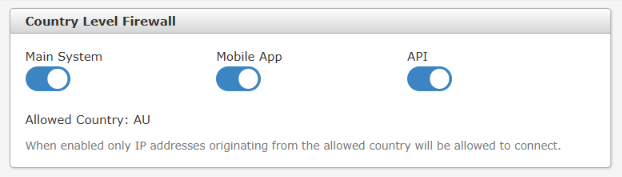
Dear Customers, Nexus Service Manager Version 5.7.0 was released last Friday, and all systems have been automatically updated. This release focuses on two major areas: stronger security against overseas threats, and new AI tools running on our own private infrastructure. Country Level FirewallCyberattacks are surging globally right now, with 99% originating from outside Australia. To help protect your account and customer data, Version 5.7.0 introduces our new Country Level Firewall, which blocks login attempts from overseas IP addresses. This feature is now enabled on all systems across the Main System, Mobile App, and API. If you're travelling overseas and aren't able to connect via an Australian VPN, you can temporarily disable it by going to Admin / Country Level Firewall and toggling it off.
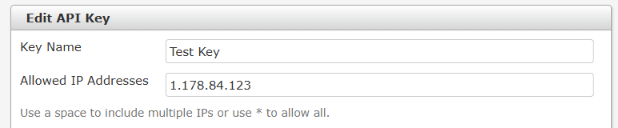
Nexus API - Allowed IP AddressesFor customers using the Nexus API, we've added IP address restrictions to API keys. You can now specify the exact IP addresses allowed to connect (separated by a space, or `*` to allow all) under Edit API Key. If you actively use the Nexus API, we strongly recommend restricting your keys to your known IP addresses rather than leaving them publicly exposed. If you don't use the API, you don't need to do anything, the Nexus API is disabled by default for security and is only enabled on request.
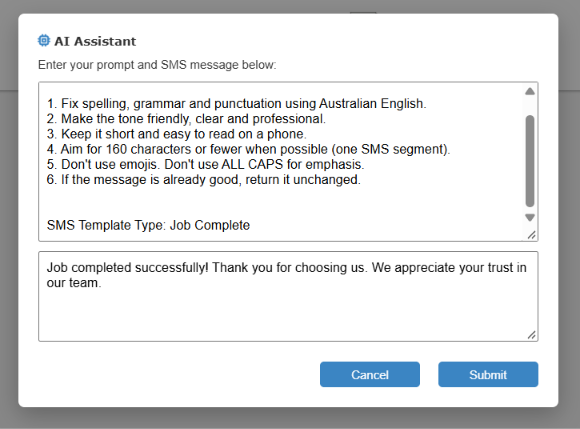
Private Nexus AI InfrastructureWe're pleased to announce that we've deployed our own dedicated AI server infrastructure within the Nexus network. This allows us to build and run AI workloads directly inside our own environment rather than sending your data to third-party cloud providers, giving you stronger privacy and data sovereignty. Here are the first new AI features included in v5.7.0: SMS AI AssistantOn the Customer SMS screen, you'll now find the new AI Assistant. Enter your SMS message, use the default prompt or tweak it to suit, and click Submit to have the AI review and refine your message before you send it.
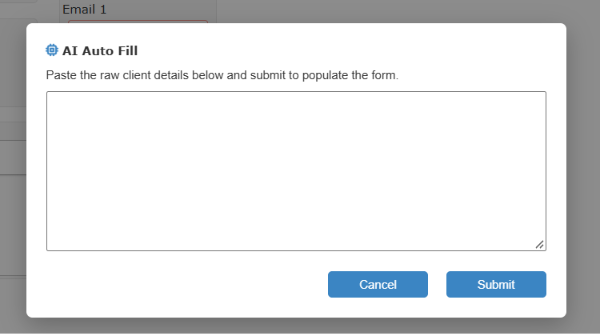
AI Auto Fill for New CustomersAdding a new customer is now much faster with AI Auto Fill. Simply paste the raw client details into the box and click Submit, and NSM will automatically populate the new customer form for you.
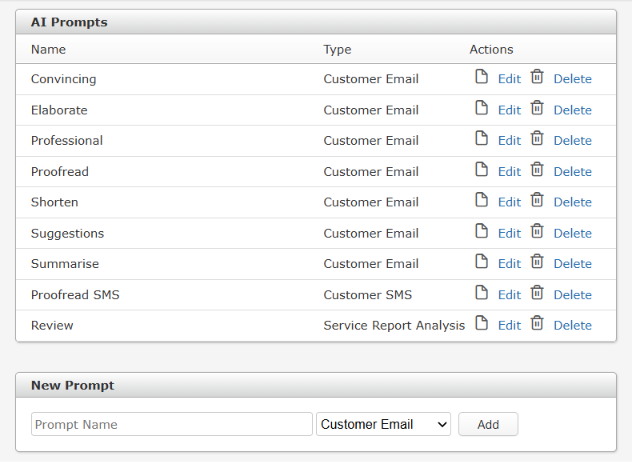
Manage AI PromptsWe've added a new AI Prompts management screen so you can create, edit and organise your own predefined prompts for Customer Emails, Customer SMS and Service Report Analysis, saving you from having to retype or adjust your prompt each time.
If you have any questions about the new features, or need a hand adjusting your Country Level Firewall or API settings, please contact. Kind Regards,
Phone 1300 301 302
|